Select Your ATS Integration:
Taleo Enterprise Edition (TEE)
Posting Jobs with iCIMS
1) Locate a Req to post. Click on the Source tab to view posting options.
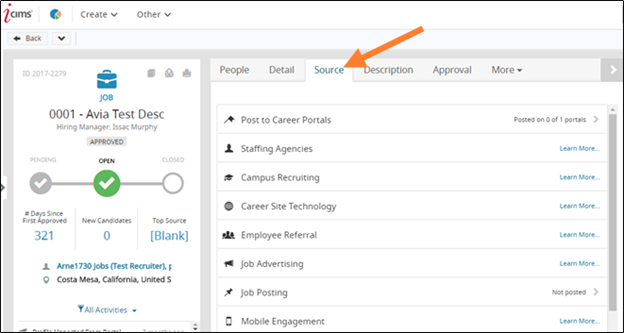
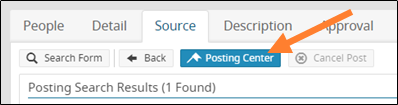
2) Reqs must be posted to an external site. Click Post to Careers Portal, then Posting Center.

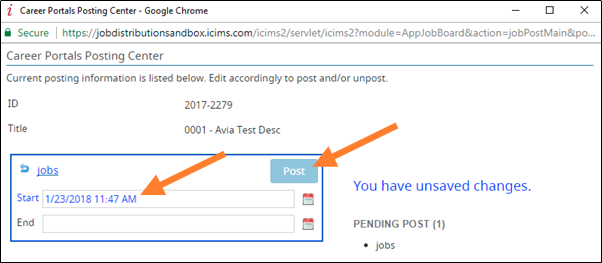
3) Select your preferred external posting type. The Start date should be the date you wish to post the job on Scout. Click Post and then Save.
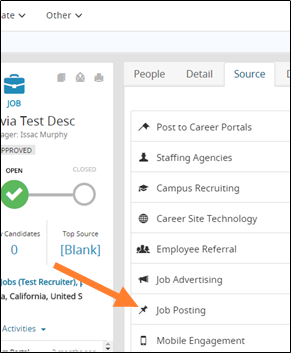
4) Back on the Source tab, select Job Posting and then Posting Center.
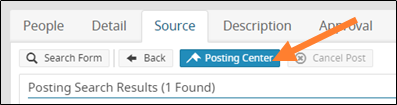
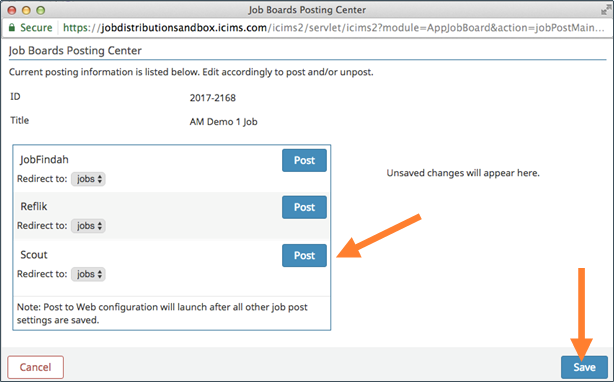
5) Locate Scout on the list of job boards. Click Post and then Save.
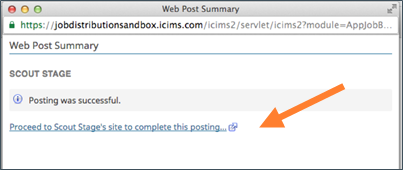
6) The job will be posted to Scout as a Draft. Click on the Proceed link to finish posting the job in Scout.
Posting Jobs with Kenexa
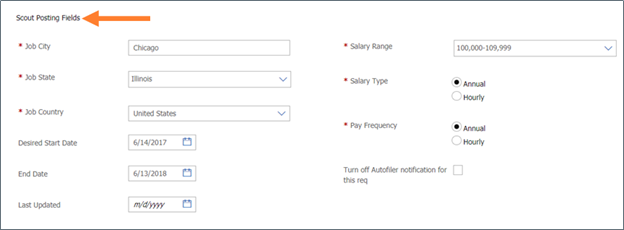
1) Locate a Req to post. Within the Scout Posting Fields section, enter the required information for the Scout Marketplace (Job City, State, Country, Salary Range, Type, Pay Frequency). Click Save once the information is entered.
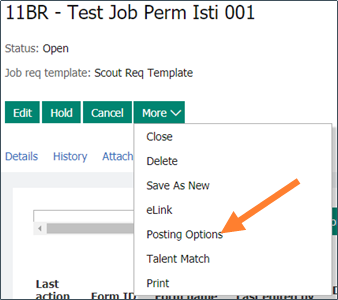
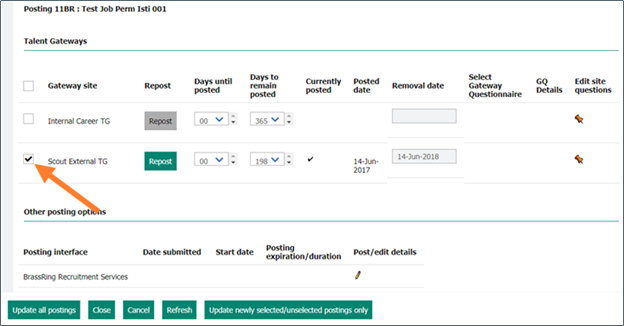
2) Select Posting Options under the More dropdown. Under the Talent Gateways, check the Scout External site and then click Update all postings. The Req will be uploaded to Scout as a Draft job.
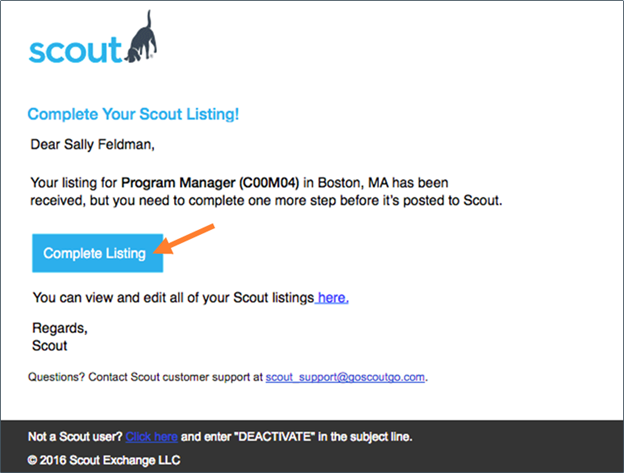
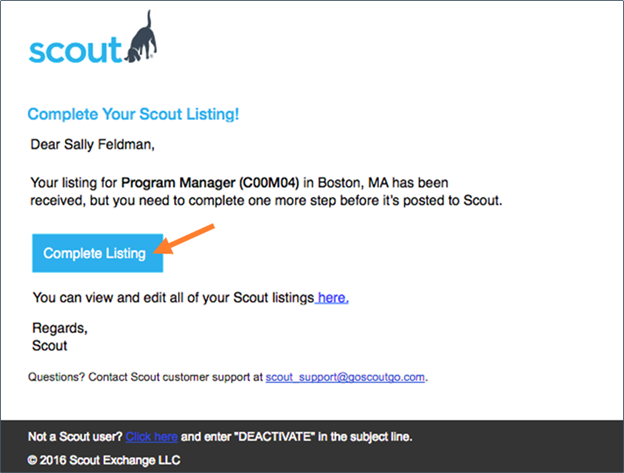
3) An email notification is sent to complete the posting in Scout. Click Complete Listing.
Posting Jobs with SuccessFactors
1) Locate a Req to post. Click Job Postings tab and locate the External Posting type. Enter the posting Start and End Dates, then click Post Job. Click Add Agencies next.
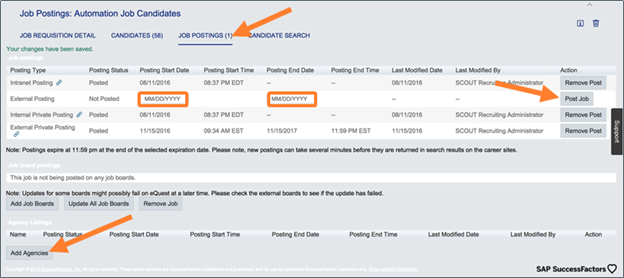
2) Select Scout and then Post Jobs.

3) An email notification is sent to complete the posting in Scout. Click Complete Listing.

Posting Jobs with Taleo Business Edition
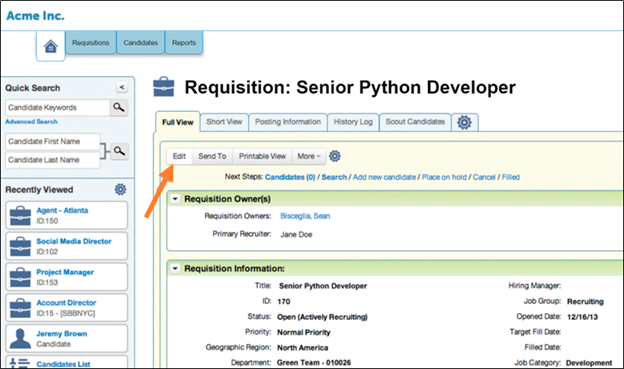
1) Locate a Req to post, and click the Edit button.
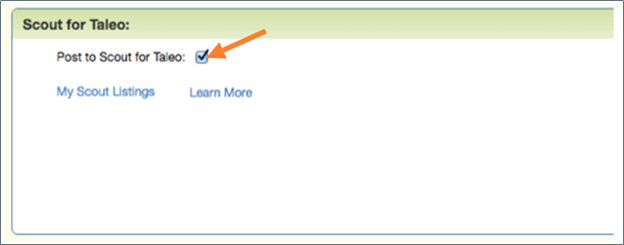
2) Locate the Scout for Taleo section. Check the box Post to Scout for Taleo.
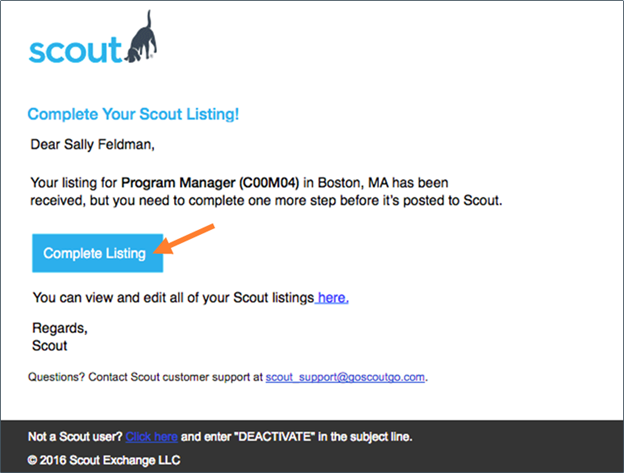
3) Within 15 minutes, an email notification is sent to complete the posting in Scout. Click Complete Listing.
Posting Jobs with Taleo Enterprise Edition
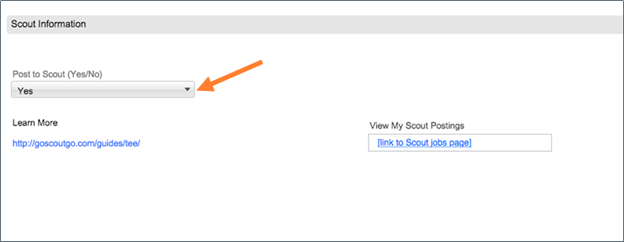
1) Locate a Req to post. Locate the Scout Information form within the Req view. Set the Post to Scout field to Yes.
2) An email notification is sent to complete the posting in Scout. Click Complete Listing.
Posting Jobs with Workday
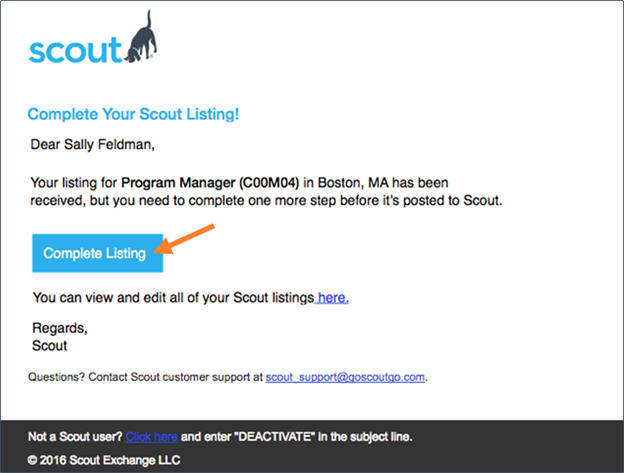
1) Locate a Req to post. Click on the Job Postings tab, then Post Job.
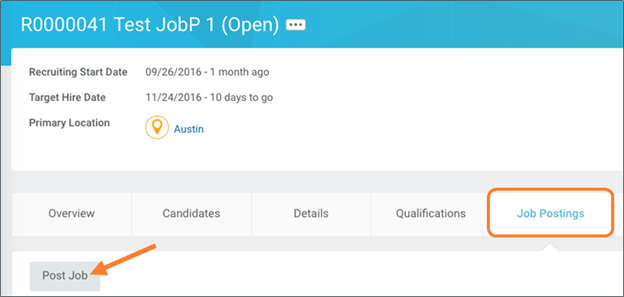
2) In the Job Posting site menu, select Agency.
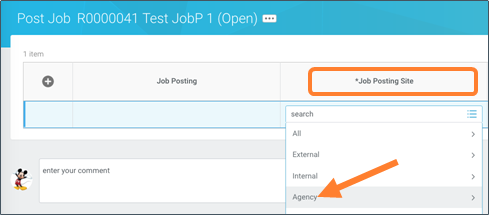
3) Select Scout and then click Submit.
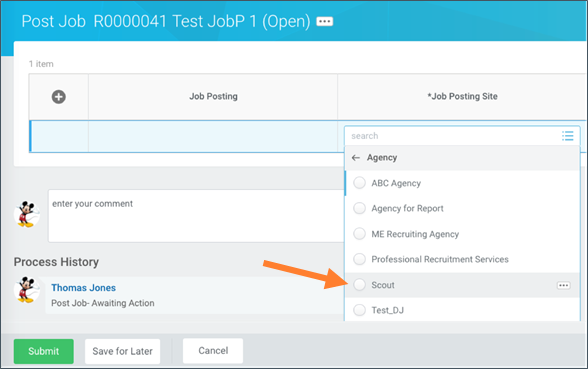
4) An email notification is sent to complete the posting in Scout. Click Complete Listing.
For immediate questions, email scout_support@goscoutgo.com or submit a request here.